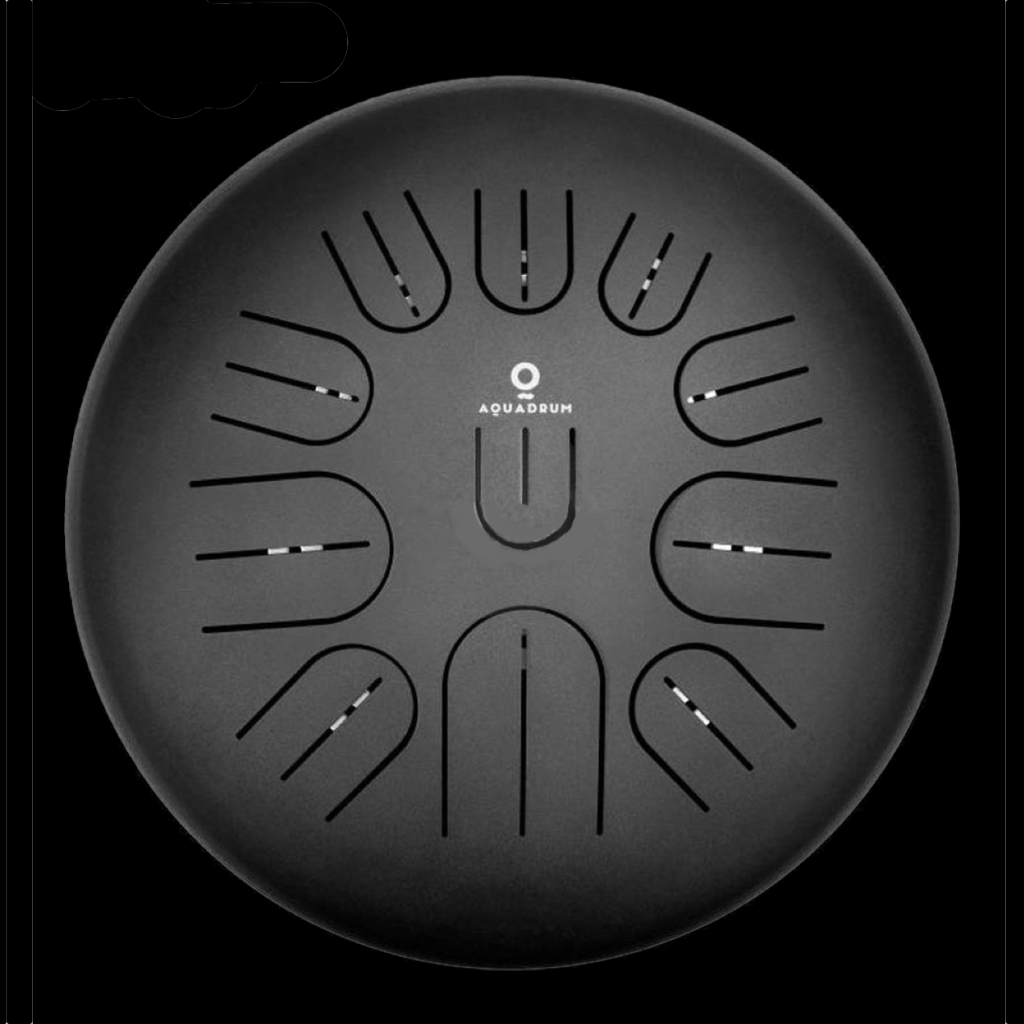
What is Aquadrum Pro?
A tongue drum — also called a steel tongue drum or tank drum — is a beautifully intuitive instrument. You tap the tongues, they ring. But most tongue drums are sold in a fixed key with a fixed scale, and players rarely know what else their drum can do.
Aquadrum Pro answers the question every tongue drum player eventually asks: what other scales can I play on this thing?
Set your drum's root note, browse a searchable library of 1,914 scales and modes, and see your tongue drum light up with the exact note names for each tongue — across every variant voicing the instrument can produce. If a scale doesn't fit your drum's range, the app tells you which root to try instead.
It's Also a Music Theory Tool
Aquadrum Pro is built on Pitch Class Set (PCS) analysis — a systematic framework from academic Music theory that describes scales by their interval content rather than their name. Every scale in the library is represented as a set of semitone intervals from the root: the Major scale is {0, 2, 4, 5, 7, 9, 11}, the Major Pentatonic is {0, 2, 4, 7, 9}.
This means the app can do things that a simple "scale picker" can't: it understands modal relationships, identifies equivalent scales under different names, and knows exactly which of your drum's tongues can produce each note in a given key.
How It Works
Set Your Root Note
Choose the base pitch of your tongue drum — the note your instrument is built around. This tells Aquadrum Pro the starting point for all calculations.
Browse the Scale Library
Open the Scale Library and filter by note count (4 through 9 notes) or search by name. Pentatonics, hexatonics, church modes, jazz scales, world scales — all organized and searchable. Alternate names are indexed too, so searching "Aeolian" finds Natural Minor.
See Your Drum Come Alive
Select a scale and the drum face on screen immediately shows the note name for every tongue — color-coded so the root stands out in blue. If multiple voicing variants are possible, swipe between them or scrub the variant bar.
Tap Any Tongue to Hear It
Tap a tongue on screen to preview its pitch. Red labels highlight notes that changed between variants — making it easy to compare voicings and decide which tuning works best for your Music.
Toggle Key Map for Physical Reference
Enable Key Map mode to see the physical key numbers and pitch range for each tongue on your specific instrument — the reference you need when you're actually tuning the drum by hand.
Tune with Precision
Open the built-in chromatic tuner, strike a tongue, and see exactly which note was detected and how many cents sharp or flat it is. No separate tuner app needed — verify and adjust your tuning right where you chose your scale.
What Is Pitch Class Set Analysis?
Pitch Class Set (PCS) theory is a way of describing musical scales using the intervals between notes, rather than relying on names alone. It was developed in the 20th century as a universal language for Music analysis — one that works equally well for jazz, classical, folk, and contemporary Music.
A "pitch class" is simply a note category regardless of octave. C in any octave is pitch class 0. D is pitch class 2 (two semitones above C). The Major scale is described as {0, 2, 4, 5, 7, 9, 11} — seven pitch classes, defined by their distance from the root.
Two scales with the same PCS notation are musically equivalent — the same notes, the same relationships, just potentially named differently in different traditions.
For a tongue drum player, this matters because Aquadrum Pro can use PCS analysis to determine exactly which voicings of a scale are physically possible on your instrument — and which roots you'd need to use to play it. If Major Pentatonic in D doesn't fit your drum's tongue range, the app finds the roots where it does.
The Scale Library by the Numbers
The Aquadrum Pro scale library spans all main cardinalities — the Music theory term for "how many notes are in the scale":
1,914 scales in total. The library is fully searchable by primary name or alternate name — results ranked by relevance, so exact matches appear first, then prefix, then substring. Finding "Lydian Dominant" takes two keystrokes.
Key Features
Interactive Drum Face
A to-scale visual of a real tongue drum with all 11 tongues. Tap any tongue to hear the note it's currently set to. Root note highlighted in blue; changed notes highlighted in red when switching variants.
Voicing Variants
Many scales have multiple valid voicings on an 11-tongue drum. Swipe left or right to move between variants, or drag the scrub bar for a direct comparison. Changed tongues are highlighted in red.
Scale Library — 1,914 Scales
Searchable library organized by note count: tetrachords (165), pentatonics (330), hexatonics (462), heptatonics (462), octatonics (330), and nonatonics (165). Alternate names fully indexed.
Custom Scale Builder
Build your own scale from scratch using the Pitch Builder. Toggle individual intervals — root, 2nd, minor 3rd, major 3rd, 4th, tritone, 5th, minor 6th, major 6th, minor 7th, major 7th — and see the drum update in real time.
Availability Detection
If a scale doesn't fit your selected root, the app tells you which alternative roots would work — so you never have to guess. Suggests up to 5 viable roots at a glance.
Key Map Mode
Toggle Key Map to overlay physical key numbers and pitch ranges on each tongue — the physical reference you need when tuning the instrument by hand or comparing models.
Built-In Chromatic Tuner
Tap the tuning fork icon to open the chromatic tuner. Play a tongue on your drum and the tuner detects the pitch, showing how many cents sharp or flat it is — right in the app.
Help Mode
Tap the ? button to enter help mode. Every element on screen becomes tappable and shows a plain-English explanation of what it does. No manual, no guesswork.
PCS Analysis Engine
Under the hood, every scale is described by its Pitch Class Set notation. The engine understands modal relationships and equivalent scales — so your search results are musically intelligent, not just alphabetical.
Favourites
Tap the heart icon on any scale to add it to your Favourites. Favourited scales appear in their own section at the top of each tab — so the scales you use most are always one tap away. Persists across sessions.
Custom Scale Naming
Long-press any scale to give it your own name and assign it to a category (Jazz & Blues, Western, World, or Other). Names are auto-corrected to follow Music theory conventions — type "add9" and the app knows what you mean.
Smart Search
Search by name and the app handles accidentals for you — type "b5" and it finds "♭5", type "#11" and it matches "♯11". Results are ranked: exact matches first, then prefix, then substring. Alternate names are indexed too.
Dark Interface
Designed for dark mode from the ground up. Easy to read on stage or in a studio with the lights down. High-contrast labels on every tongue for clear reading at a glance.
Who is Aquadrum Pro For?
Tongue Drum Players
You bought your drum in D minor pentatonic and you love it. But you've always wondered what else it can do. Aquadrum Pro maps out every scale your specific drum is capable of — giving you a full picture of your instrument.
Steel Drum & Handpan Players
Similar principles apply to other tuned percussion instruments with a fixed set of tongues or tone fields. Use the custom builder to describe your instrument's layout and explore which scales fit.
Instrument Makers & Tuners
Before hammering begins, use Aquadrum Pro to design tunings. The Key Map mode gives you the precise pitch range for each tongue position — so you can plan and verify tunings before committing.
Music Educators
Tongue drums are increasingly popular in Music education for their intuitive playability. Aquadrum Pro gives educators a visual, tactile tool for teaching scale theory, intervals, and PCS concepts through a familiar instrument.
Frequently Asked Questions
A tongue drum (also called a steel tongue drum or tank drum) is a percussion instrument made from steel, with a series of cut "tongues" of different lengths that produce different pitches when struck. They're known for their resonant, meditative sound. Most are sold pre-tuned to a specific scale in a specific key, with 8 to 15 tongues.
Aquadrum Pro is built around an 11-tongue drum layout. The pitch ranges for each tongue are calibrated to a specific instrument model. If you have a drum with a different number of tongues or a different range, the Key Map and voicing calculations may not match your specific instrument perfectly — but the scale library and custom builder are useful for any tuned percussion player.
When a scale fits the range of a tongue drum, there are often multiple ways to assign notes to tongues — different octave positions, different doublings of pitches. Each of these arrangements is called a "variant." Aquadrum Pro shows you all possible variants and lets you swipe between them, with changed notes highlighted in red so you can quickly see the differences.
Some scales simply don't fit the pitch range of your drum when rooted on a particular note. When this happens, Aquadrum Pro finds the alternative roots where the same scale does fit and suggests them. This saves you from manually trying every root to find which ones work.
PCS notation describes a scale by its interval content — a list of semitone distances from the root. The Major scale is {0, 2, 4, 5, 7, 9, 11}. This notation is root-independent, meaning it describes the shape of the scale, not the specific key. It's a standard analytical tool in academic Music theory, particularly useful for understanding the relationship between modes, equivalent scales, and interval content.
Yes. The Pitch Builder lets you construct any scale by toggling individual semitone intervals — root, minor 2nd, major 2nd, minor 3rd, major 3rd, perfect 4th, tritone, perfect 5th, minor 6th, major 6th, minor 7th, major 7th. The drum view updates in real time as you add or remove intervals.
The tuner uses your iPhone's microphone to detect incoming audio and identify the pitch in real time. Strike a tongue on your drum and the tuner shows which note it detected and how many cents sharp or flat it is from the ideal pitch. This is useful when you're adjusting the tuning of your drum manually — for example, after re-tuning a tongue with a magnet or hammer.
Aquadrum Pro is free to download and includes the full pentatonic scale library (330 scales) at no cost. A single in-app purchase unlocks all remaining categories — tetrachords, hexatonics, heptatonics, octatonics, and nonatonics — totalling 1,914 scales. No subscriptions, no ads.
We'd love to hear from you. Email us at support@pujamusic.com — we read everything and respond personally.